
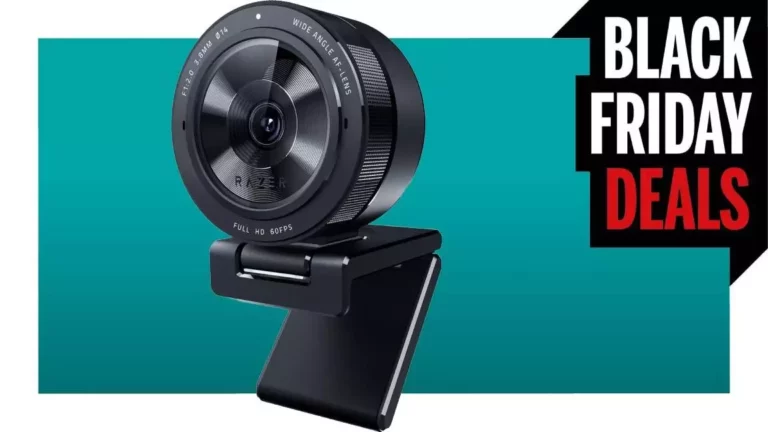
In an era where remote interactions dominate both professional and social landscapes, the equipment we choose for video calls has become a cornerstone of effective communication. The Razer Kiyo Pro USB webcam stands out as a compelling option, particularly for individuals who require quality in their virtual interactions, be it for business meetings or gaming streams. In this article, we will explore the features, benefits, and potential shortcomings of the Kiyo Pro, and examine how it can elevate your online presence.
Those familiar with remote work or streaming can relate to the perpetual struggle with subpar lighting conditions. Poorly lit environments can render even the most engaging communications into dark, indistinct silhouettes. Fortunately, the Razer Kiyo Pro is designed to tackle these challenges head-on. Its innovative Sony Starvis adaptive light-sensor technology adjusts automatically to varying light conditions, ensuring that your video output remains clear even in dimly lit scenarios. This feature is especially beneficial for users operating in environments where they cannot control their lighting, such as nighttime calls or poorly lit rooms.
While the Kiyo Pro lacks the built-in ring light that characterizes its predecessor, this absence does not detract from its overall effectiveness. Instead, the focus is placed on delivering high-definition video quality, with output capabilities of FHD 1080p at 60 frames per second. Such specifications are essential for those engaging in high-stakes video communications or streaming, where clarity and responsiveness can significantly influence viewer engagement.
The Razer Kiyo Pro also offers a remarkable degree of customizable framing through its adjustable field of view settings. Users can select from angles of 103°, 90°, or 80°, allowing for greater flexibility in how they wish to present themselves to their audience. This feature is particularly useful for individuals who may wish to showcase a background—be it an aesthetically pleasing wall adorned with collectibles or a carefully organized workspace—without the clutter of personal items taking center stage.
For content creators—especially streamers—the ability to control how much of one’s environment is showcased can enhance the viewing experience. It pairs perfectly with the webcam’s High Dynamic Range (HDR) capabilities, which further elevate the quality of the backdrop, breathing life into whatever visuals you choose to present. Nonetheless, it’s prudent to note that HDR output is limited to 30 fps, a consideration for those involved in fast-moving content that may not translate well at this frame rate.
While the design of the Kiyo Pro leans heavily towards functionality, certain ergonomic choices may lead to user frustration. The fold-out base mount is intended to simplify setup by allowing the webcam to rest atop a monitor. However, in practice, this design can present challenges. The mount’s flexibility can lead to instability, especially with a trailing USB cable that may disrupt its balance. Users may find themselves frequently readjusting the placement of the webcam, which could detract from the seamless experience one would ideally expect from such a device.
Additionally, given the often chaotic nature of a home-office environment, a stable and reliable mounting solution could enhance usability. For individuals who prioritize efficiency, improvements in this area would not go unnoticed.
The Razer Kiyo Pro USB Webcam is a formidable contender in a crowded market, particularly for those who place a premium on video quality and adaptability in various lighting conditions. While its adjustable field of view and HDR capabilities cater well to content creators, potential users should remain mindful of its mounting challenges. Overall, the Kiyo Pro is worth considering for anyone looking to enhance their online presence, whether for professional calls or personal streaming endeavors. In a time where virtual communication is prevalent, investing in quality equipment can be the differentiator that brings your presentations to life.

- BYD’s Lingyuan: A New Era of Vehicle-Integrated Drone Technology - June 23, 2025
- The Rise of Xiaomi: An Overview of the Company’s Latest Innovations - June 23, 2025
- Ikea Enters the Thread Realm: The Timmerflotte Sensor - June 23, 2025
Leave a Reply